About this template
A complete 2027 budget in one workbook. Plan each category once, override only the months that differ, and see how much is left to assign each month, the zero-based way.
Log transactions as you go. The Month View, Category Tracker and Annual Summary show plan versus actual, net cash flow, savings rate and a running balance. Recurring Bills reveals the real yearly cost of every subscription. Savings Goals projects your finish date and what you need per month. Debt Payoff estimates your balance, debt-free date and interest still to pay, and ranks debts by avalanche or snowball.
Check your 50/30/20 split, plan around weekly or every-2-weeks paychecks (with extra-paycheck months flagged), and track your net worth month by month.
Comes as a blank workbook with starter categories and a sample household with six months of data, plus a step-by-step English guide.
Features
- 12-month budget plan with per-month overrides and Left to assign
- Up to 40 income, expense, savings and debt categories
- Transaction log for 1,500 entries with error checks
- Month View: plan vs actual for every category
- Category Tracker and Annual Summary with running balance and savings rate
- Recurring bills and subscriptions with yearly cost and schedule
- Up to 8 savings goals with projected finish date
- Up to 8 debts with payoff date, interest estimate, avalanche or snowball order
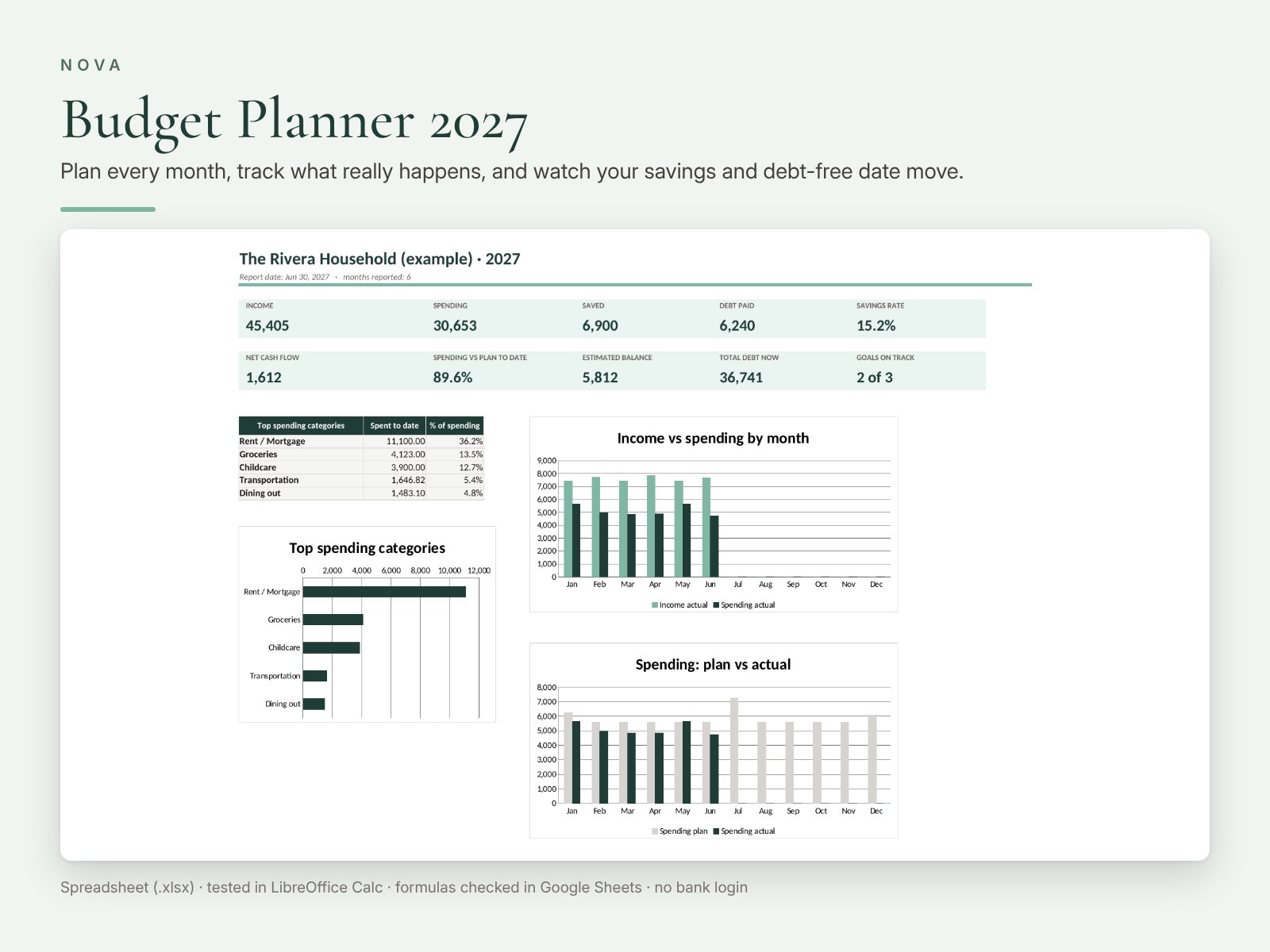
- Dashboard with year-to-date KPIs, top spending categories and charts
- Reusable: change the year in Settings
- 50/30/20 check: needs, wants and savings vs editable targets
- Paycheck planner for weekly, every-2-weeks, twice-a-month or monthly pay
- Extra-paycheck months and bills due per half-month
- Net worth tracker with assets, debts and monthly change chart
What's included
- Blank 2027 workbook (.xlsx)
- Sample workbook with a fictional household (.xlsx)
- PDF user guide (English)
- License
Details
| Format | Spreadsheet (.xlsx), PDF guide |
|---|---|
| Works with | LibreOffice Calc (tested), Google Sheets (formula functions tested) |
| Delivery | Instant digital download |
| License | Personal and household use. No resale or sharing. |
| Product code | NV005 |
| Version | 1.1.0 |
| Last updated | 2026-11-29 |
Questions
Which apps does it work in?
NOVA tested it in LibreOffice Calc (free) and checked every formula function it uses in Google Sheets (upload the .xlsx to Google Drive and open it with Google Sheets). It has not been tested in Microsoft Excel yet; it uses no newer functions and no macros. Apple Numbers is not supported.
Does it contain macros?
No. No macros, no add-ins, no external links and no internet connection needed.
Is this a physical product?
No. It is an instant digital download. Nothing is shipped.
Does it connect to my bank?
No. You type or paste transactions yourself, so nothing is shared with anyone.
Is this financial advice?
No. It is an organising tool. Debt and goal figures are estimates.
How do I get my file after buying?
Checkout is handled by Gumroad. Right after payment you get a download link on screen and by email. You can re-download any time from the Gumroad receipt or library.
Do the spreadsheets work in Excel and Google Sheets?
Each product page lists the exact apps and versions it has been tested in. We only list an app after we have tested the file in it.
Is it a subscription?
No. Every product is a one-time purchase. Updates to the version you bought are free.